Hiring Talent
When you’ve found the right talent, click Hire on their card or profile to send an offer. The talent reviews it and accepts or declines.
Sending an offer
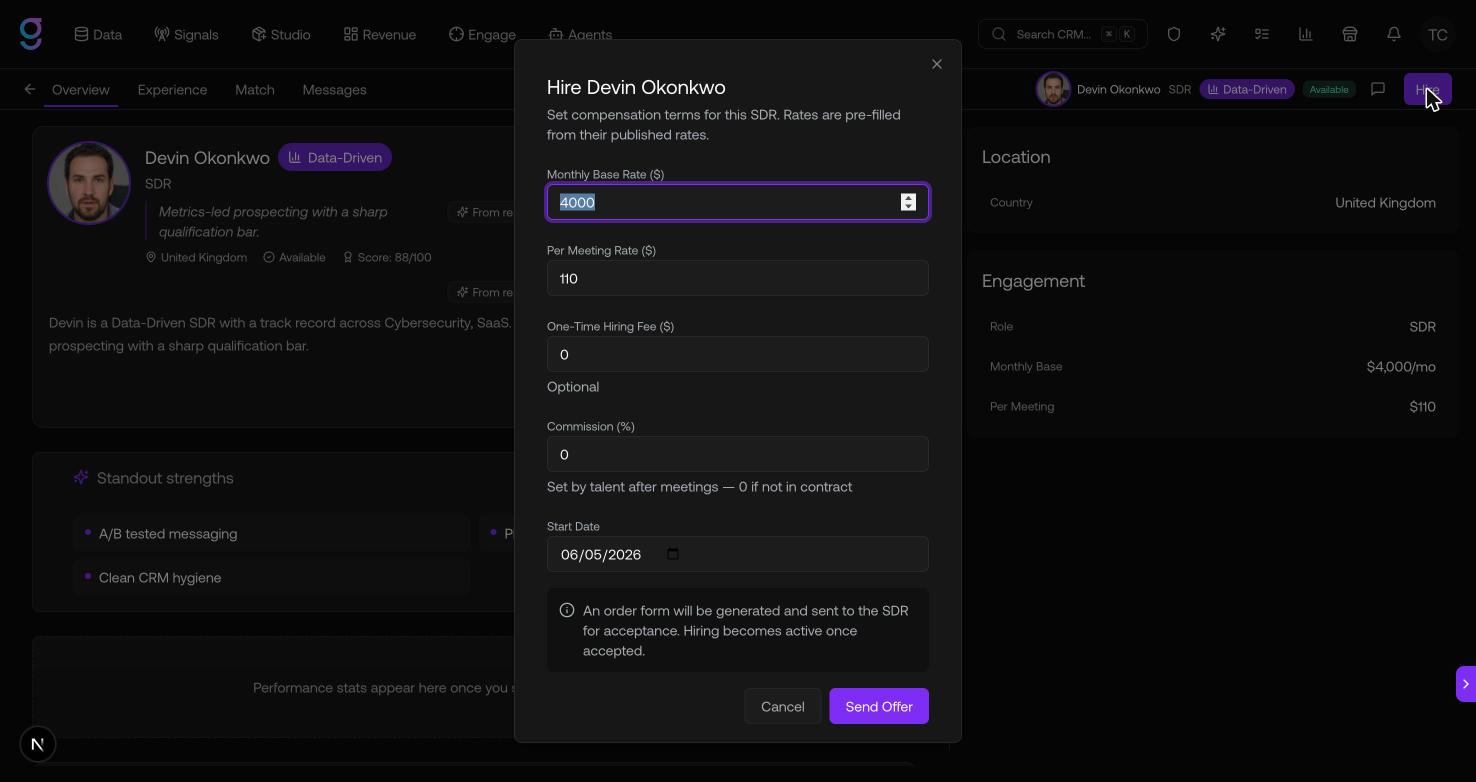
The Hire dialog — titled with the talent’s name — lets you set the terms of the engagement:
| Field | Notes |
|---|---|
| Monthly Base Rate ($) | The recurring monthly rate |
| Per Meeting Rate ($) | What you pay per booked meeting |
| One-Time Hiring Fee ($) | Optional upfront fee |
| Commission (%) | Set by talent after meetings — 0 if not in the contract |
| Start Date | When the engagement begins |
Click Send Offer. graph8 generates an order form and sends it to the talent.
From offer to contract
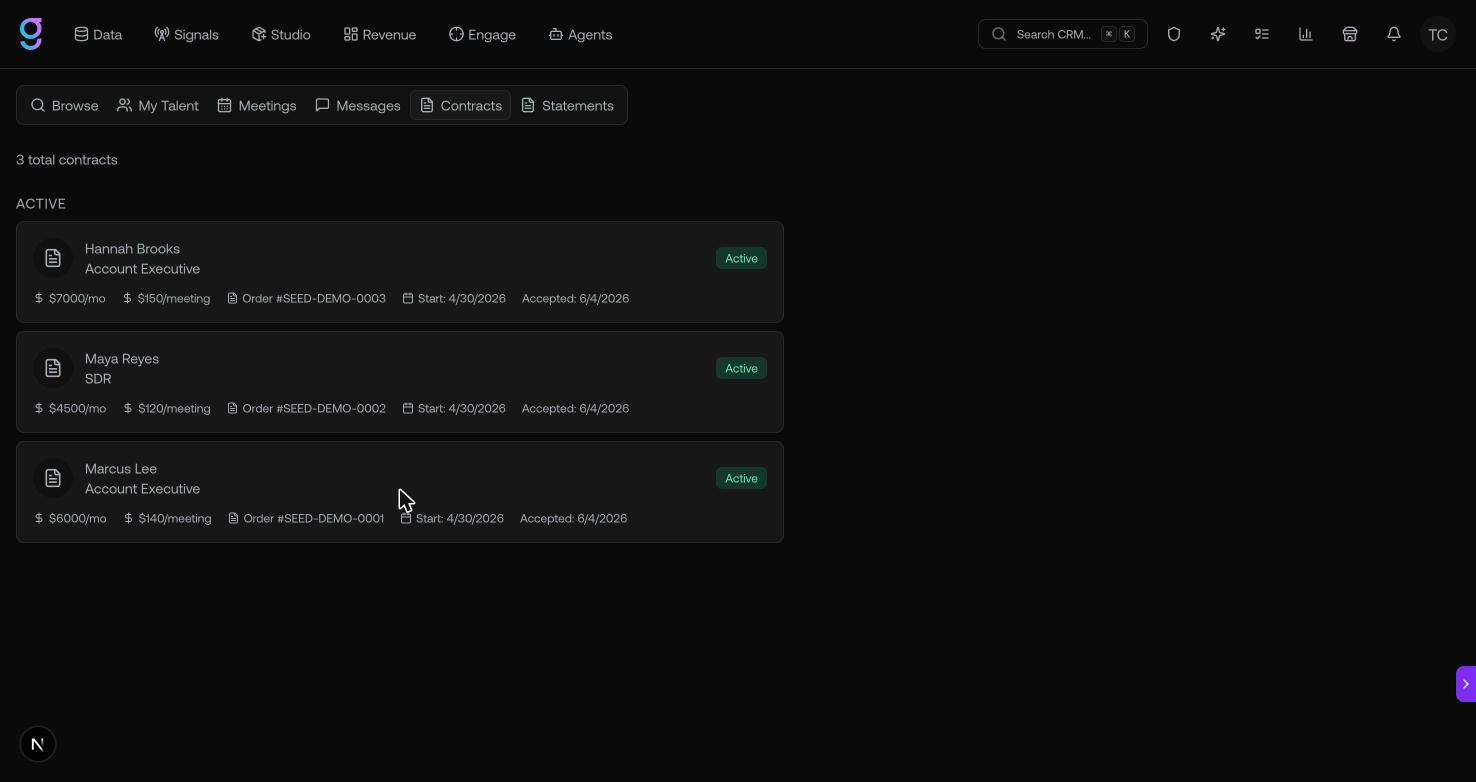
After you send an offer, track it in the Contracts tab, where contracts are grouped by status:
- Pending Acceptance — the talent hasn’t responded yet
- Active — the talent accepted; the engagement is live
- Terminated — the contract has ended
Each contract card shows the rates, order number, and start/end dates.