Billing
Manage your graph8 subscription, credits, and payment methods. The Billing page lives under Settings → Organization → Billing.
The Billing page
The top of the page shows your account at a glance:
- Customer Account - your account email and status badge (Active for paid accounts, Trialing during a free trial)
- Member since and Last updated dates (trial accounts see their Trial ends date here too)
- Credits Balance - your total credits, split into Available, Used, and Held, with a usage bar
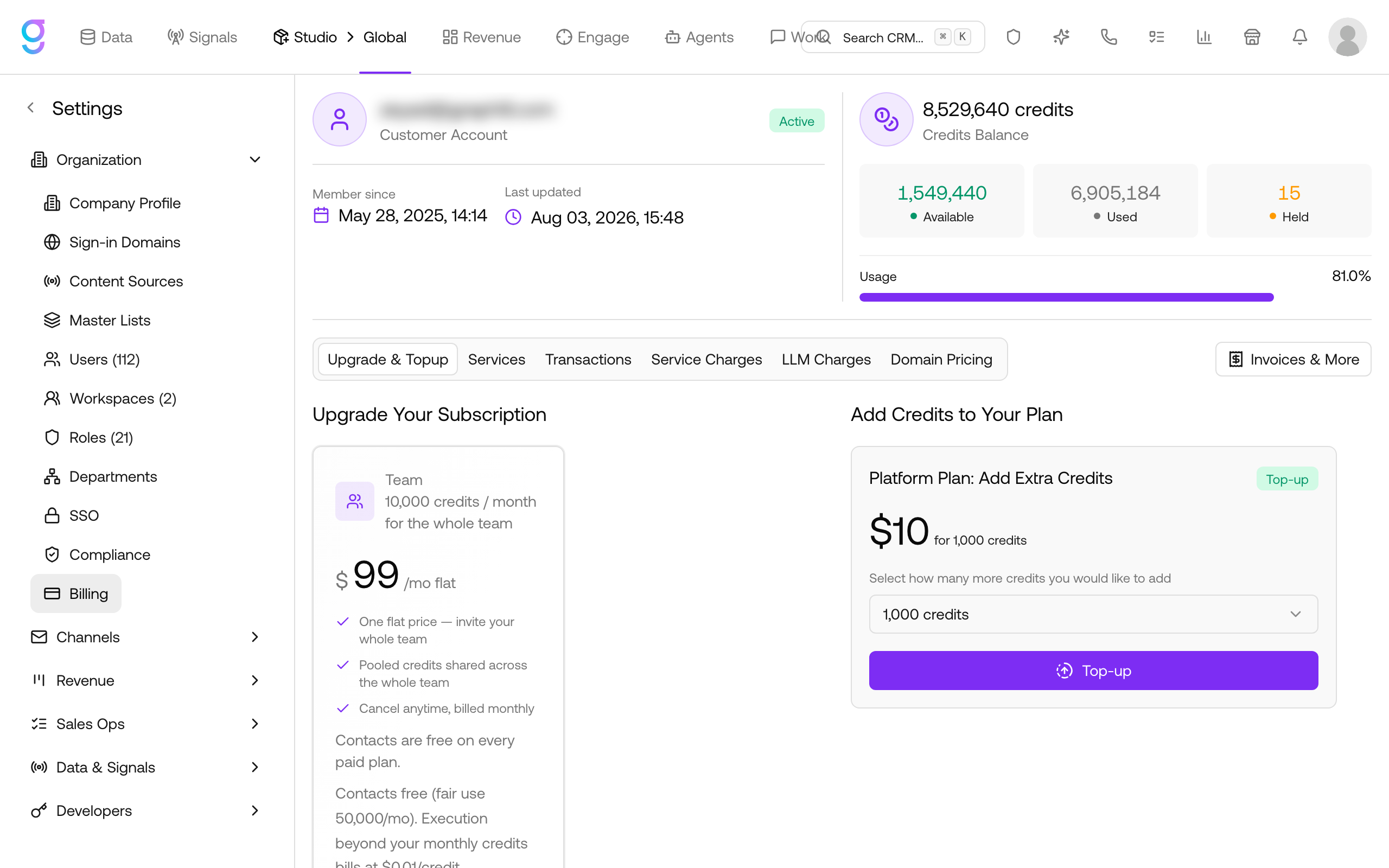
Below that, the page is organized into tabs:
| Tab | What it shows |
|---|---|
| Upgrade & Topup | Available plan upgrades and credit top-ups |
| Services | Add-on products available for your plan |
| Transactions | Every credit charge, filterable by date, with CSV export |
| Service Charges | The live credit cost for each platform service |
| LLM Charges | Credit cost per AI model tier, charged per input and output token |
| Domain Pricing | Credit cost for purchasing domains, by TLD |
The Invoices & More button (top right) opens the secure graph8 billing portal, where you manage invoices, payment methods, billing information, and cancellation.
Plans
Every new organization starts on a free trial with full feature access - no credit card required.
Free Trial (Pay As You Go)
Sign up with a work email and your organization starts on a free trial of the Pay as you go plan.
- Free credits: 2,500 (one-time)
- Trial period: your trial end date is shown at the top of the Billing page
- Features: Full platform access - same as the paid plans
- Requirements: Work email (personal email providers like Gmail, Yahoo, etc. are not accepted)
After your free trial ends, the service pauses until a payment method is added. To keep going, add a payment method in the billing portal or upgrade to a paid plan (see Trial accounts and activation).
Team ($99/month)
One flat price for the whole team.
- Credits: 10,000/month, pooled across the whole team
- Contacts: Free on every paid plan (fair use 50,000/month)
- Overage: Execution beyond your monthly credits bills at $0.01/credit
- Billing: Monthly, cancel anytime
Platform ($499/month)
For teams doing regular outreach - the highest included monthly credit allowance.
- Credits: 75,000/month included
- Contacts: Unlimited contact data across every workflow
- Support: Priority support, cancel anytime
- Overage: Execution beyond your monthly credits bills at pay-as-you-go rates
Credit Cost Per Action
The authoritative, always-current rates are in the app: go to Settings → Organization → Billing and open the Service Charges, LLM Charges, and Domain Pricing tabs. Common examples:
| Action | Credits |
|---|---|
| Enrich a company profile | 1 |
| Process 1 intent signal | 1 |
| Agent Inbox / textual agents (AI generation) | 1 per 1,000 tokens |
| Voice AI | 20 per minute |
| Meeting scheduled | 20 |
| Inbox placement test | 20 |
| Web visitor resolution | 20 |
Viewing Your Plan
- Go to Settings → Organization → Billing
- Your account status and credit balance are shown at the top
- For your subscription details and next billing date, click Invoices & More to open the billing portal
Subscription
Trial accounts and activation
While your organization is on a free trial, the Billing page shows a Trialing badge and your Trial ends date. There are two ways to keep your account active past the trial:
Upgrade to a paid plan (recommended):
- Go to Settings → Organization → Billing
- On the Upgrade & Topup tab, pick Team or Platform under Upgrade Your Subscription
- Complete the checkout - your status changes to Active
Or stay on Pay as you go:
- Click Invoices & More (top right) - the billing portal opens
- Click Add payment method and save a card
Without either, the service pauses when the trial ends. Note that credit top-ups are not available during the trial - they appear once you’re on a paid plan.
Upgrading
- Go to Settings → Organization → Billing
- On the Upgrade & Topup tab, available upgrades are listed under Upgrade Your Subscription
- Select the plan and confirm
Upgrades take effect immediately. New features and limits are available right away.
To downgrade or switch to a different plan, contact support.
Cancellation
Cancellation happens in the billing portal, not on the Billing page itself:
- Go to Settings → Organization → Billing
- Click Invoices & More (top right) - the graph8 billing portal opens
- Under Current Subscription, click Cancel subscription
- Confirm the cancellation
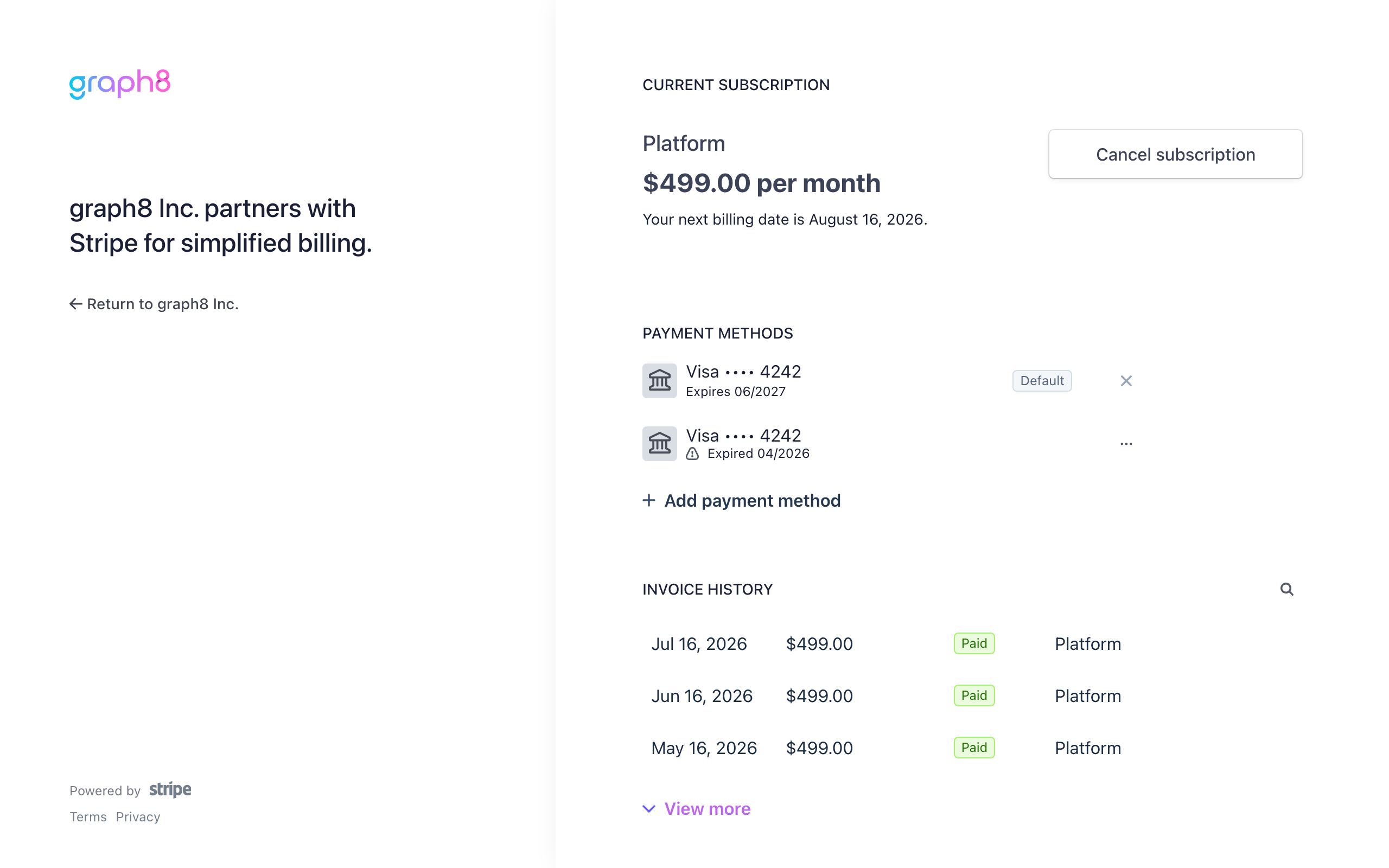
The same path works for trial accounts - the portal shows Cancel subscription during the trial too.
After cancellation, your account remains active until the end of the paid period. Data is retained for 30 days after the account expires.
Credits
Credits power enrichment, AI features, and premium actions across the platform.
Credit Balance
The top of the Billing page shows your balance in three parts:
- Available - credits ready to spend
- Used - credits already consumed
- Held - credits reserved for jobs currently in progress
Credit Usage
Credits are consumed by:
- Contact enrichment - waterfall enrichment across data providers
- AI features - AI email composition, call transcription, voice AI
- Premium actions - domains, inbox placement tests, and other advanced features
Check the Service Charges tab for the live per-service rates, LLM Charges for AI model rates, and Domain Pricing for domain costs.
Topping Up
On a paid plan, buy additional credits anytime:
- Go to Settings → Organization → Billing
- On the Upgrade & Topup tab, find Add Credits to Your Plan
- Select how many credits to add - the price is shown on the card
- Click Top-up
- Credits are added to your balance after payment
Top-ups are not available during a free trial - upgrade to a paid plan first.
Transactions
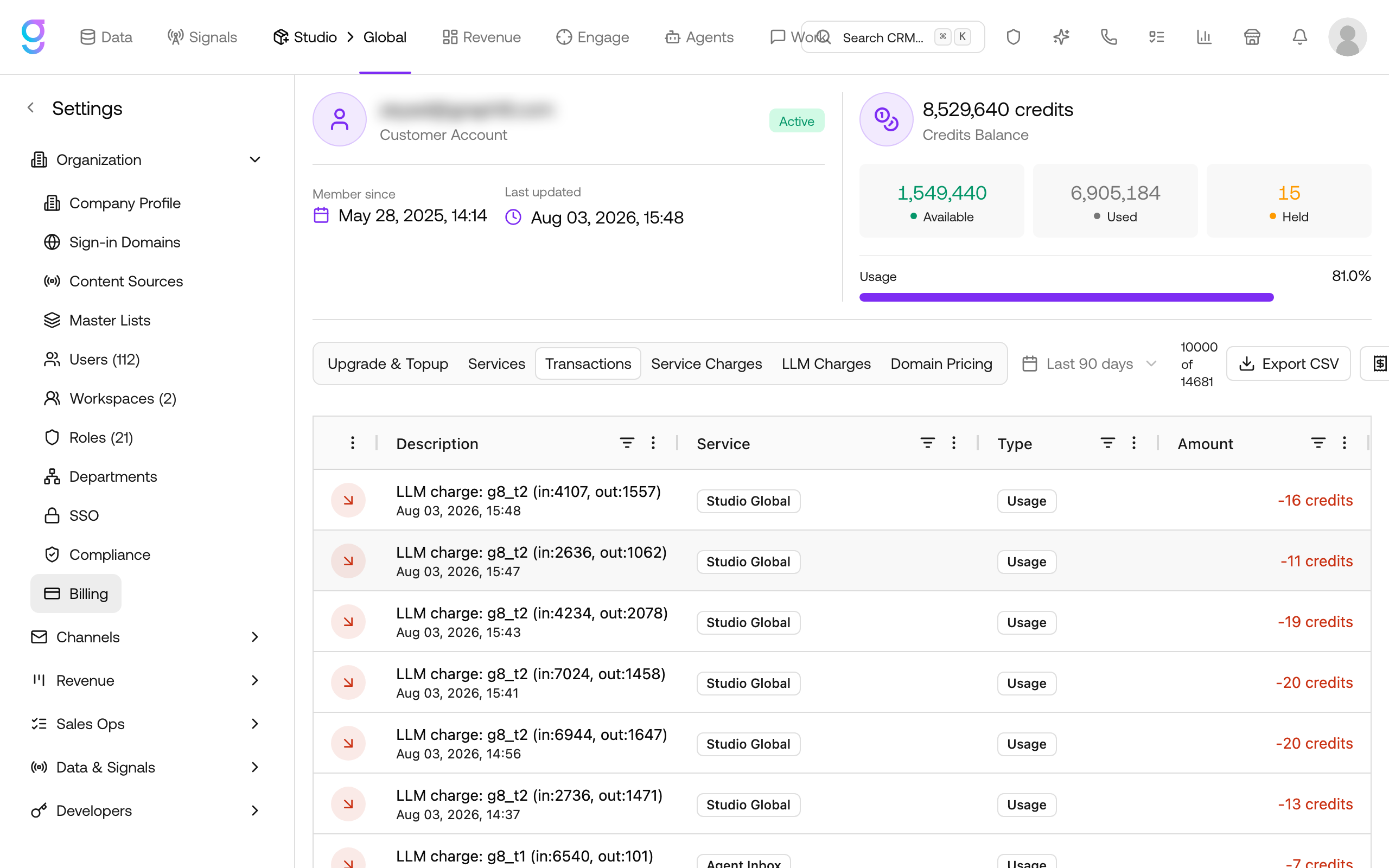
Every credit movement is listed on the Transactions tab: the action, the service that charged it, and the amount. Filter by date range or click Export CSV to download the ledger for your records.
Payment Methods
Payment methods are managed in the billing portal:
- Go to Settings → Organization → Billing
- Click Invoices & More - the billing portal opens
- Under Payment Method, click Add payment method to add a card, or update the existing one
The saved payment method is used for subscription renewals and top-ups.
Invoices
Viewing Invoices
- Go to Settings → Organization → Billing
- Click Invoices & More - the billing portal opens
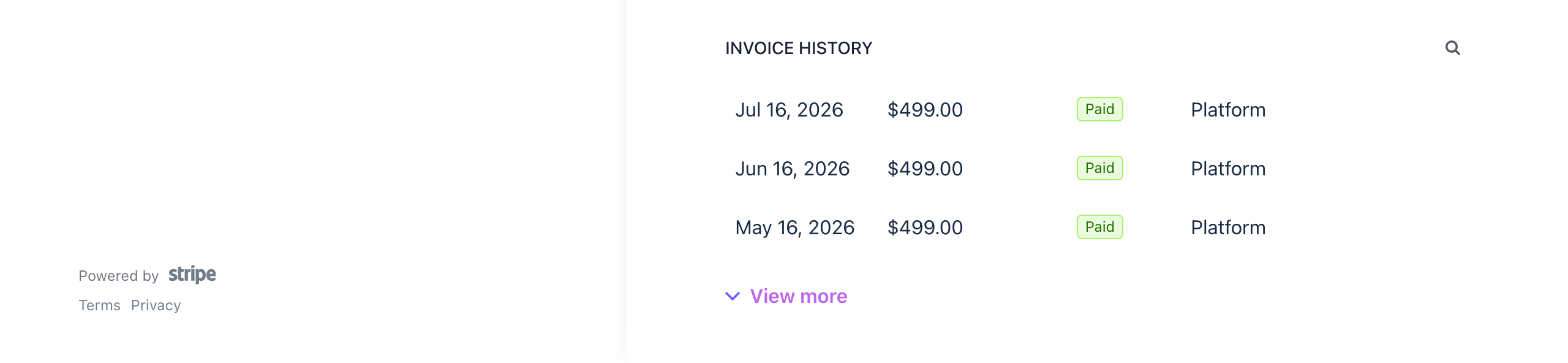
- Scroll to Invoice History to browse your billing history
- Each invoice shows date, amount, and status - click one to view or download the PDF
Failed Payments
If a payment fails:
- You’ll receive an email notification
- graph8 retries the payment automatically
- Update your payment method in the billing portal if the card is expired or declined
- Contact support if issues persist
Billing Information
Invoices are issued to the name and email shown under Billing Information in the billing portal. Click Update information there to change them.
Frequently Asked Questions
What happens if I run out of credits?
Trial accounts: Upgrade to a paid plan - top-ups are not available during the trial. Features that require credits are paused until your balance is replenished.
Paid plans: Top up from the Upgrade & Topup tab, or rely on automatic overage billing where your plan includes it.
Can I switch from the trial to a paid plan?
Yes. Go to Settings → Organization → Billing and pick a plan on the Upgrade & Topup tab. Your remaining free credits are cleared when the first paid invoice processes, and your plan credits are granted immediately. No additional free credits are granted on upgrade.
Do free credits expire?
Trial credits are available for the length of your trial. After the trial ends, add a payment method or upgrade to a paid plan to keep using the platform.
Can I get a refund?
Contact support for refund requests. Refunds are evaluated on a case-by-case basis within the first 30 days.
How do I update my billing email?
Invoices are sent to the email under Billing Information in the billing portal. Go to Settings → Organization → Billing, click Invoices & More, then click Update information.